
Designing a Productivity Chatbot
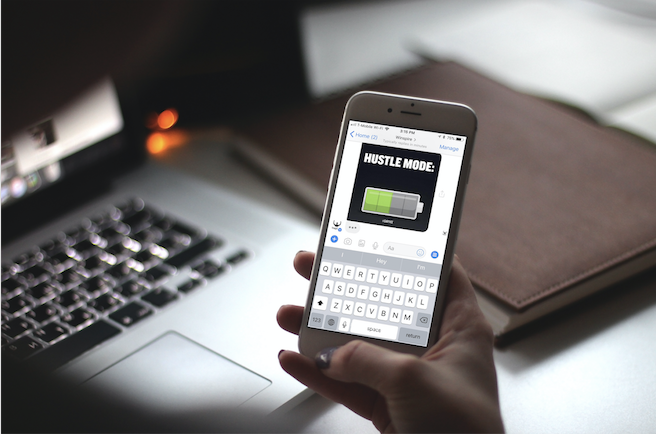
HustleBot was born with the intent of experimenting with a productivity tool in a new media format. Prior to embarking on the project, I ran an inspiration Facebook page called Winspire, and was inspired myself to create something that felt more tangible and quantifiable (in terms of its impact) than merely posting motivational content.
During our senior design project at NYU Tandon's Integrated Digital Media, we had to call out an ambitious mission statement to steer our work; mine was to “catalyze behavioral change through new media technologies.”
The course was structured such that each student project would undergo multiple design phases, starting from research and capping off with a final prototype to display in the Integrated Digital Media annual showcase. Upon completing each step, we had the opportunity to revisit our work to iterate on feedback and pivot where necessary.
Below is a high level explanation of the HustleBot prototype as it exists today, along with some learnings for chatbot design and goal setting/productivity. Though I haven’t continued building HustleBot post-graduation, the lessons learned in designing conversational interfaces as well as structuring behavioral change environments will surely guide future design work.
So what Is HustleBot?
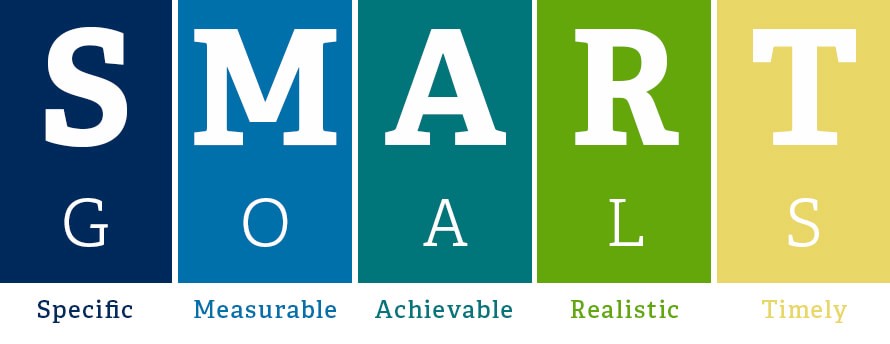
HustleBot is a Facebook Messenger-based chatbot designed to help users set and reach goals. By operating as a digital conversational planner, the tool employs SMART goal-setting techniques and is backed by research on the psychology of habit formation.
Through interaction, the tool helps you breakdown goals into actionable steps, and select a time to receive daily reminders and notifications to input your progress. You can also set reminders, start a pomodoro timer, listen to curated playlists (pump up tracks, study/work or inspiration), watch motivational videos and, for my own sake, submit feedback.

During the IDM showcase, one of the considerations was how to physically present a digital interface. I decided to created business cards with QR codes on the back for instant access, reducing the friction to launching the chatbot. Though the project was certainly less flashy than some of the visual performances, it still saw some traction and I received further feedback even after the showcase ended. Below are some lessons I learned along the way.
Lessons Learned Designing Chat Interfaces & Behavioral Change Environments:
Learning was a multidimensional experience in this course in that there were many different avenues we used to gain clarity, answer questions, make discoveries and refine our work. From user testing to research materials to speaking with people in related industries, there were many forces at play to spark new insights and influence our direction.
To start, perhaps the biggest decision I made with this project was to design a chatbot to begin with…
Why chatbots?
For brands and social media pages looking to engage their existing audience, chatbots are a helpful tool. They can be designed without code, though programming knowledge definitely benefits the design by enabling more in-depth control of the interactions.
Chatbots are online, can be accessed through mobile, are dialogue/texting-based (human’s natural interface) and therefore feel familiar, are multi-sensory, and they can even send push notifications.
This is all to say that chatbots are an effective tool — when done right.
Some things I had to consider when building the HustleBot prototype included security (ie: data sharing, access to privacy), the chatbot’s ‘personality’ (tone, pacing, language), the fact that there would be many different types of goals inputted, and my own lack of coding proficiency.
Read on here.